Auto Repair Google Review Campaigns

Get More Google Reviews. Earn More Trust. Win More Local Customers.

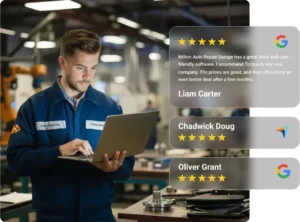
Torque360 Google review campaigns ask every customer for a Google review by text or email after their repair. Your shop builds a steady stream of recent reviews, earns trust before new customers call, and hears what customers think of every visit. Trusted by 1,000+ independent repair shops across auto, truck, motorcycle, RV, and powersports.

  • Review requests sent automatically by SMS or email

  • Request messages written in your shop’s voice

  • Send timing you choose after each completed job

  • One-tap link to your Google review form

Auto Repair Google Review Campaigns

How Do You Get More Google Reviews for Your Auto Repair Shop?

How Does It Work?

If you’re wondering how to get more Google reviews, start with timing. Many satisfied customers never leave one simply because nobody asked at the right moment. Torque360 connects review requests to your repair orders, so every completed job triggers a request without anyone at the front desk remembering to send it.

Set Up the Review Campaign

Create the campaign in Torque360 and name it so any advisor can find it later.

Customize the Message

Write the request in your shop’s voice and include your Google review link.

Define Timing and Conditions

Choose when to send the request after a repair order is completed.

Choose SMS or Email and Launch

Select the delivery channel and launch the campaign. From then on, every completed RO automatically triggers a request.

Monitor and Respond

Read new reviews, reply from your Google Business Profile, and use the feedback to improve service.

Integrate Your Entire Workflow

Strengthen Your Shop’s Online Reputation

Customers compare repair shops on Google before they ever pick up the phone. Auto repair Google review campaigns keep genuine reviews coming in from real customers, so your listing shows the recent, honest feedback that turns searchers into callers.

Reviews from real customers reassure first-time visitors that your shop does honest, quality work before they hand over their keys.

The steadiest way to increase Google reviews is consistency. Requests go out after every completed job, not only when someone remembers.

A profile with steady, recent reviews gives nearby customers a reason to choose your shop over the next listing in the results.

One negative review stands out on a thin profile. Honest reviews from every customer show the full picture of your service.

Simple Review Requests for Every Customer

A review request should take the customer seconds and take your team no time at all. Torque360 handles the sending, so advisors stay focused on the next vehicle.

Customers get a text or email with a direct link to your Google review form. One tap opens it, with no searching for your shop and no app to download.

Write the request in your own words so customers hear from the shop that just worked on their vehicle.

Time the request for after the customer has driven the repaired vehicle, so the review reflects the work, not just the pickup.

Every completed job gets the same request. Google’s review policy prohibits selectively asking only happy customers, so Torque360 campaigns ask everyone and let the full picture speak for your shop.

Shops in the Auto Repair Industry Trust Torque 360. You Can Too.

Turn Customer Feedback Into Better Service

Every review tells you something your reports can’t: how the visit felt to the customer. Torque360 Google review campaigns show what your shop does well and where it needs work.

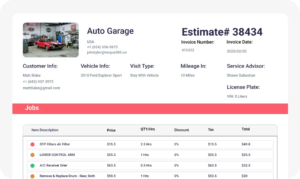
Spot recurring comments about wait times, communication, or pricing. When a review raises a concern, pull up the repair order in Torque360 to see the estimate, invoice, and inspection behind it.

Reviews reveal what customers value and what they wish you offered, from earlier drop-off hours to services you don’t carry yet. Use those patterns to decide what to add or change.

A thoughtful reply and a real fix give an unhappy customer a reason to return. Torque360 reminder campaigns then contact each customer at a set interval after their last visit to bring them back.

Make Every Completed Job a Chance to Earn a Review

Stop leaving reviews to chance. Torque360 sends a review request after every completed repair, so your reputation grows with every car you finish.

auto repair estimating software

Why Do 1,000+ Independent Shops Run Google Review Campaigns on Torque360?

What comes with Torque360 beyond the review requests:

Built Into Your Shop System

Review campaigns run inside Torque360, so there is no separate Google review software to buy and no extra login to manage.

No Contact List to Maintain

Requests go to the phone number and email on the repair order. There is nothing to export, import, or sync.

Onboarding and Support Included

Onboarding and ongoing support come with Torque360, so your review requests are set up correctly from day one.

Access From Anywhere

Torque360 is cloud-based, so you can check repair orders, customer records, and campaign settings from any browser, in the shop or on the road.

Everything Your Shop Needs in One System

Auto repair Google review campaigns run inside Torque360, the same platform that handles your scheduling, inspections, repair orders, and invoicing.
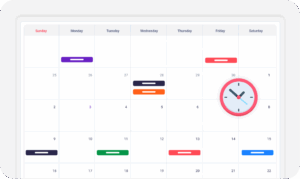
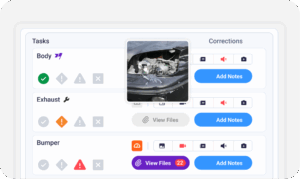
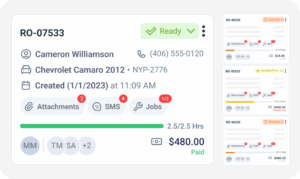
appointment-booking-widget

Book jobs, manage calendars, and reduce no-shows.

digital vehicle inspection software

Capture photos and videos. Add notes and findings.

auto repair estimating software

Build accurate estimates with labor, parts, and pricing.

repair order software

Convert approved work into organized repair orders.

auto repair invoicing software

Generate invoices from completed labor and parts.

auto repair job board software

Track jobs, assign technicians, and monitor progress.

Google Review Campaigns for Every Type of Repair Shop

Every shop that depends on local customers needs a steady flow of recent reviews. Torque360 runs review campaigns the same way across every type of repair business it serves.

Mechanic Shop

Motorcycle Repair

Truck Repair

Oil Change

Tire Repair

Mobile Mechanics

In Their Own Words

How Repair Shops Speed Up Checkout With Torque360

Real repair shops use Torque360 to run inspections, repair orders, customer communication, and review requests from one connected platform.

Clinton, Owner at Exclusive Detail Duluth
Exclusive Detail Duluth

"Before Torque360, we used a different platform, and that platform didn’t allow us to do any of the stuff that we needed to do. And their customer service was not very good at all"

View Story
9/10
Likelihood to Recommend
100%
Invoices Auto-Synced to QuickBooks
Andres, Owner at Moto Pops
MOTOPOPS

"Being able to send estimates directly to customers and receive instant approvals on their phones has dramatically sped up our repair process and improved communication."

View Story
3
Manual Processes Replaced
50%
Faster Estimate Approvals
Artur Pires, Owner at Mapgreen Motorsports
Mapgreen Motorsports

"Torque360 changed everything for us. On long projects, nothing gets lost anymore. Labor, parts, approvals, it’s all there. Since using it, I haven’t lost a single cent."

View Story
75%
Missed Revenue Prevented
2x
Increase in Project Visibility
Cauy Cuthbertson, Owner at Charles Garnett
Charles Garnett

“Torque360 has everything I was looking for. From scheduling and tracking jobs to QuickBooks Online integration and Torque Pay, it helps me stay organized.”

View Story
8+ Hrs
Saved on Daily Operations
100%
Same-Day Invoicing with TorquePay
Himel, Owner at Halal Auto Care
Halal Auto Care

"We were doing estimates and tracking jobs manually, and it caused delays and confusion. Now with digital estimates and invoicing, everything is faster and more organized."

View Story
50%
Faster Estimate & Job Processing
1.2x
Higher Customer Capacity
Shop owner video testimonial
Tire & Wheel Xperts

“Torque360 makes everything easy, efficient, and professional. Each invoice only takes about one to two minutes now. I recommend it 100%.”

View Story
1-2 min
Invoice Creation Time
95%
Automated Inventory Sync
Shop owner video testimonial
Cauy Cuthbertson

"Torque360 helped us bring everything into one place. Jobs, parts, and invoices are easier to manage, and the shop runs more smoothly day to day. It gives us the structure we needed."

View Story
100%
Centralized Shop Workflows
2x
Boost in Operational Efficiency

Stop Losing Customers to Shops With Fresher Reviews

Torque360 asks every customer for a Google review after the job is done, so your Google profile keeps pace with your work.

  • More recent reviews on your Google profile

  • Less follow-up work at the front desk

  • Clear feedback on every visit

Frequently Asked Questions

Auto repair Google review campaigns are an ongoing, structured way to ask every customer for a Google review after their visit. In Torque360, review requests go out automatically by SMS or email after each completed repair, with a direct link to your Google review form. Shops use the reviews to build trust online and the feedback to improve service.

Send one short request after the job and don’t chase it with repeated follow-ups. A friendly mention at pickup is fine, but never pressure a customer to write a review on the spot or while they’re still at the counter. Let the text or email carry the link so they can review from home.

A good Google review request template thanks the customer, names your shop, and includes the link. For example: “Hi [First Name], thanks for choosing [Shop Name] today. We’d appreciate a quick Google review of your visit: [Review Link].” Don’t ask for five stars or tell customers what to mention.

They help, but nothing guarantees a position. Google ranks local results on relevance, distance, and prominence, and review count and rating are part of prominence. Steady, recent reviews work best alongside a complete Google Business Profile.

No. Google’s review policy treats reviews given in exchange for discounts, free services, or payment as fake engagement and removes them. The FTC’s Consumer Review Rule also prohibits incentives tied to positive reviews. Keep offers in your service reminders and out of your review requests.

Google review campaigns are your Google review strategy: asking every customer, learning from feedback, and growing your reputation. Review management is the Torque360 system that runs it, with the templates, timing, and rules that send each request automatically.

Pull up the repair order in Torque360 first, so your reply is based on facts. Respond within a day or two, thank the customer, address the specific issue, and offer to continue the conversation by phone. Keep each reply personal rather than copied from a template.

No. Businesses can’t delete Google reviews. You can flag a review that breaks Google’s policy, such as one from someone who was never a customer, through your Google Business Profile, and Google decides whether to remove it.

Yes. Quote recent reviews with the reviewer’s first name and date, and never edit their words. For review marketing beyond your website, our auto repair social media marketing team can feature your best reviews on your social channels.