Mechanic Shop Software
Stop Running Your Shop on Memory and Phone Calls
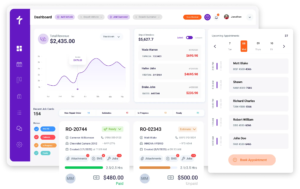
Most mechanic shops don’t lose revenue because they lack work. They lose revenue when vehicles wait on approvals, technicians stop repairs to answer questions, and service writers spend valuable time tracking job updates. Torque360 mechanic shop software is a shop management platform that handles the complete service workflow for independent repair shops in one system. Trusted by 1,000+ independent repair shops across auto, truck, motorcycle, RV, and powersports.
How Does a Mechanic Shop Get a Vehicle
From Check-In to Pick Up
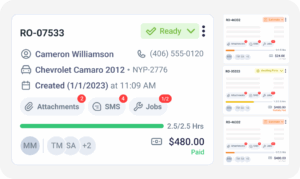
Every repair in a mechanic shop follows the same path: appointment, inspection, estimate, repair, invoice, and payment. The challenge is keeping information connected as the vehicle moves through each stage. Torque360 mechanic garage software keeps every stage tied to the same repair order, helping service writers, technicians, and customers stay aligned from vehicle drop-off to final payment.











How Does a Mechanic Shop Keep Track of Every Job
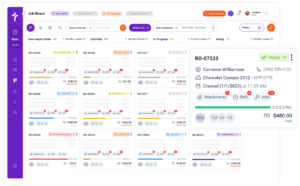
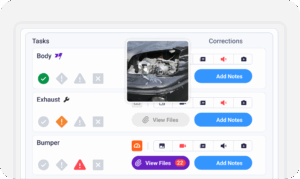
A busy mechanic shop can have vehicles waiting for inspection, customer approval, and parts delivery at the same time. Knowing exactly where every vehicle stands is what separates shops that run efficiently from shops that run reactively. Torque360 auto mechanic management software keeps repair activity connected to the same workflow, helping you stay informed as jobs move through the day.
What Does a Customer Need to Trust Your Mechanic Shop
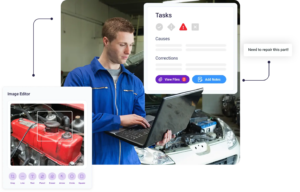
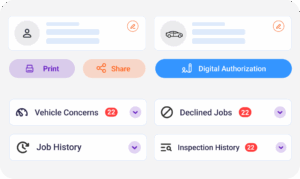
Most customers can’t evaluate the quality of a repair the way a technician can. They decide whether to trust a shop based on communication, transparency, and whether they understand why a repair is being recommended. Torque360 helps mechanic shops keep customers informed from inspection through payment, creating confidence at every stage of the visit.
How Do Mechanic Shops Write Estimates That Hold Up
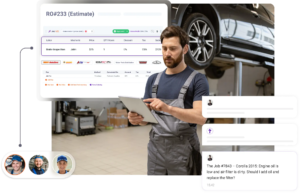
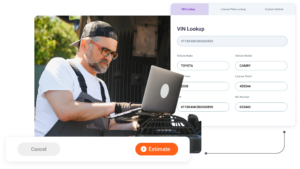
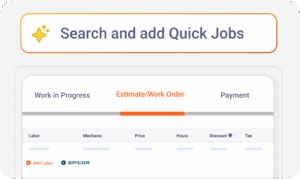
An estimate does more than tell a customer what a repair costs. It sets expectations, protects shop margins, and often determines whether the customer approves the work. Torque360 shop management software for mechanics gives service writers the information they need to build accurate estimates and get approved work.
How Do Mechanic Shops Keep Parts From Stalling Repairs
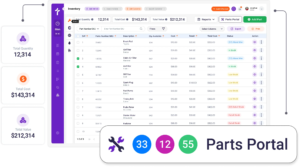
A repair doesn’t stop because a technician forgets how to fix the vehicle. It usually stops because the required part isn’t available or pricing hasn’t been confirmed. Torque360 keeps parts sourcing and inventory tracking connected to the repair workflow.
How Do Mechanic Shops Get Paid Faster
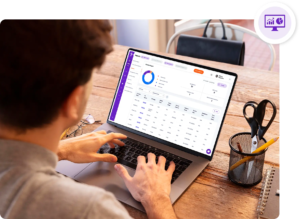
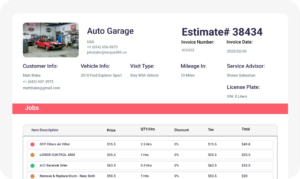
Completing a repair doesn’t mean revenue reaches the bank account. Invoices can remain open, customers may delay payment, and manual reconciliation creates additional administrative work. Torque360 keeps invoicing, payment collection, receivables, and financial reporting connected to the repair workflow so completed work turns into collected revenue.
How Do Mechanic Shops Build a Reputation That Brings Customers Back
Most mechanic shops don’t grow through one-time repairs alone. Long-term growth comes from customers who return for future maintenance, trust repair recommendations, and recommend the shop to friends and family. Torque360 helps shops maintain those relationships long after the vehicle leaves the bay.
How Do Mechanic Shops Switch Software Without Disrupting Operations
Many mechanic shop owners continue using outdated software because they worry about losing customer records, vehicle history, and inventory information during the transition. The concern is protecting the information the business depends on every day. Torque360’s migration team manages the data transfer process before launch, helping shops move to a new system without starting from scratch.
Customer records, vehicle information, and inventory data are transferred before your go-live date. The migration team handles reviewing, mapping, and importing supported records into Torque360. Once your shop is live, your team has seven days to review migrated records. Any discrepancies can be identified and addressed during the validation window, with post-launch support available throughout the transition.
See How Mechanic Shops Run Their Entire Workflow With Torque360
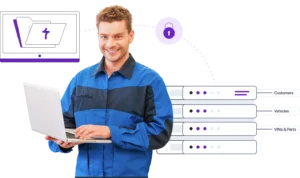
Book a 30-minute demo and see how independent mechanic shops manage appointments, inspections, repair orders, technician updates, customer approvals, parts sourcing, invoicing, and payment collection from one workflow. We’ll walk through a real repair process, show how information moves from check-in to pickup, and answer questions specific to how your shop operates.
What Makes Torque360 Different From
Other Mechanic Shop Software
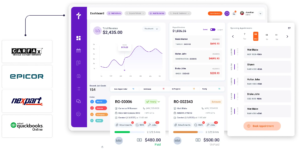
Most mechanic shop software can schedule appointments, create estimates, and generate invoices. The difference appears when repairs change, additional work is approved, parts need to be ordered, technicians update job status, and customers want answers before the vehicle is ready. Torque360 keeps those activities connected to the same repair workflow, helping shops reduce administrative work.


Every Tool Your Mechanic Shop Needs,
Working Together in the Same Workflow
Mechanic shops don’t operate in separate stages. Appointments lead to inspections. Inspections lead to estimates. Repair orders generate invoices and payments. Torque360 keeps those activities connected throughout the repair process, helping you manage work without switching between disconnected systems.
Mechanic Shop Software for Every Type of Repair Business
Torque360 supports repair businesses across multiple vehicle types and service models. Every workflow can be configured around how your shop operates.