TorquePay Integration

Accept Card Payments Inside Your Auto Repair Shop Software

TorquePay is Torque360’s built-in payment processing for auto repair shops. Your team takes card, contactless, and Google Pay payments at the counter, and every transaction posts against the repair order it belongs to, with the amount, method, and transaction ID recorded. No monthly fees, and deposits typically hit your account the next business day. Trusted by 1,000+ repair shops across auto, truck, motorcycle, RV, tire, and powersports.
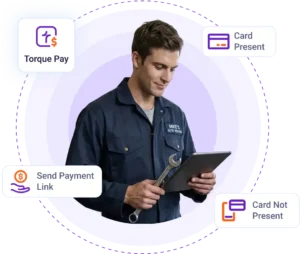
  • Accept tap, chip, and swipe payments at the counter

  • Every transaction recorded against the repair order

  • Flat per-transaction rate, no monthly fees

  • Deposits typically the next business day

How Does TorquePay Integration Work
Inside Torque360?

Connect TorquePay to Your Account

Go to Settings > Integrations > Torque Payment > Connect. Follow the guided setup to link your payment processing account and start accepting card payments from repair orders and invoices.

Accept In-Person Card Payments

When a repair order is complete, the invoice total is sent directly to your payment terminal. Your staff runs the card at the terminal without keying the amount manually.

The Payment Records Against the Job

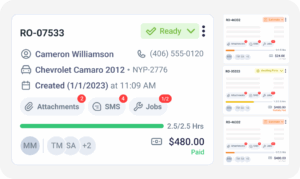
The moment the transaction clears, it posts back to the RO with the amount, method & transaction ID. You see the job as settled without opening a second system to confirm it.

Get Paid the Next Business Day

Funds from card transactions typically reach your account on the following business day. Because each payment is already attached to its RO, the deposit reconciles against named jobs.

Power Your Shop with Connected Integrations

How Can Auto Repair Shops Accept Card Payments with TorquePay?

As an auto shop payment system, TorquePay handles the checkout at the counter and records the result where the rest of the job already lives. The repair order total reaches the terminal without anyone keying it, and the completed transaction posts back against the same job, so nobody enters an amount twice or matches a receipt to an invoice later.
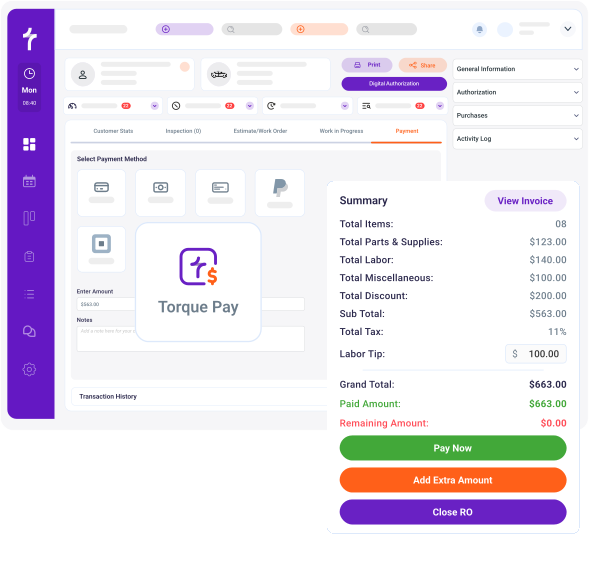
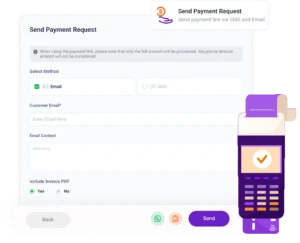
TorquePay makes accepting card payments simple with a wireless payment terminal that supports tap, chip & swipe. TorquePay sends the RO total directly to the terminal, so your service advisor does not manually key the amount. Accept Visa, Mastercard, Amex, Discover, Google Pay, and contactless payments. 

Customers who want to divide a bill across two cards or put part on a card and settle the balance another way are handled at the counter without a workaround. The service advisor splits the invoice total inside Torque360, and each payment logs against the same RO with its own transaction record.

Not every customer pays by card. Cash and check payments are recorded against the repair order in Torque360 alongside card transactions, so the payment report shows the full picture of what the shop collected without pulling from a second source.

Quickbooks’ top-notch security measures
Quickbooks automotive accounting software

How Does TorquePay Keep Cash Flow Steady for Auto Repair Shops?

Shops using a standalone terminal know the end-of-day matching problem: the card runs on one system, the deposit lands days later under a batch number, and somebody matches each line to the correct invoice before the books are accurate. TorquePay integration removes that step because it records the payment against the invoice the moment the transaction processes.
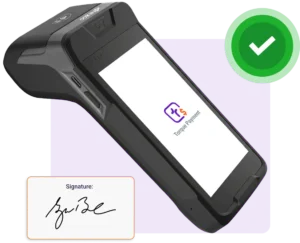
Payments processed through TorquePay are typically deposited into your account the next business day. Predictable deposit timing can make cash-flow planning easier for shops with frequent daily transactions.

TorquePay uses flat-rate pricing with no monthly fees and no long-term contracts. You pay a defined per-transaction rate rather than a recurring monthly payment.

Torque360 keeps payments tied to invoices and repair orders throughout the workflow. There is no end-of-day manual reconciliation. The payment report shows every transaction, the amount, the method, and the RO it belongs to. The Integrated Payments report lets you filter and reconcile TorquePay transactions.

Stop Matching Terminal Receipts to Invoices Every Night

Collect every payment inside the same platform where you build repair orders and send invoices. No separate terminal system, no batch numbers to decode, and no stack of receipts to match against invoices at close.

Quickbooks’ top-notch security measures

Why Repair Shops Choose TorquePay

Repair shops choose TorquePay integration because it gives the front desk, the bookkeeper, and the shop owner the same payment data without anyone re-entering it.

Fewer Manual Steps at Checkout

Your team spends less time at the register and makes fewer keying errors. When the amount, method, and customer record are captured in one step, checkout becomes the fastest part of the job.

Faster Access to Revenue

Payments processed through TorquePay are typically deposited the next business day. Cash flow planning is based on confirmed deposits, not estimated timelines.

One System for TorquePay Payments

TorquePay keeps supported card and digital payment transactions connected to the same RO & invoice. There is no separate tool to log in to & no cross-platform matching at the end of the day.

Predictable Costs with No Surprises

TorquePay uses a defined per-transaction rate with no monthly fee or long-term contract. You know the processing rate for each transaction before you process it.

How Does TorquePay Connect to the
Rest of Your Repair Workflow?

Payment collection is the last step in the repair, but the record it creates feeds everything after it. A TorquePay transaction posts against the repair order it belongs to, carries into the invoice, and appears in your payments report with the method, amount, and transaction ID attached.

appointment-booking-widget

Book jobs, manage calendars, and reduce no-shows.

digital vehicle inspection software

Capture photos and videos. Add notes and findings.

auto repair estimating software

Build accurate estimates with labor, parts, and pricing.

repair order software

Convert approved work into organized repair orders.

auto repair invoicing software

Generate invoices from completed labor and parts.

auto repair job board software

Track jobs, assign technicians, and monitor progress.

Built for Every Type of Repair Shop

Every repair shop needs a faster way to collect card payments. TorquePay works the same way whether your shop handles auto repair, truck service, motorcycle work, RV service, or powersports. Shops running high daily RO volume feel it most, because the reconciliation load a standalone terminal creates scales with transaction count.

Mechanic Shop

Motorcycle Repair

Truck Repair

Oil Change

Tire Repair

Mobile Mechanics

Case Studies

Faster Payments. Fewer Manual Steps.
Steadier Cash Flow.

Repair shops use TorquePay to close jobs faster with less time spent on end-of-day reconciliation. By keeping payment processing inside the same system where estimates, repair orders, and invoices are managed, shops know which jobs are settled without opening a second system to check.
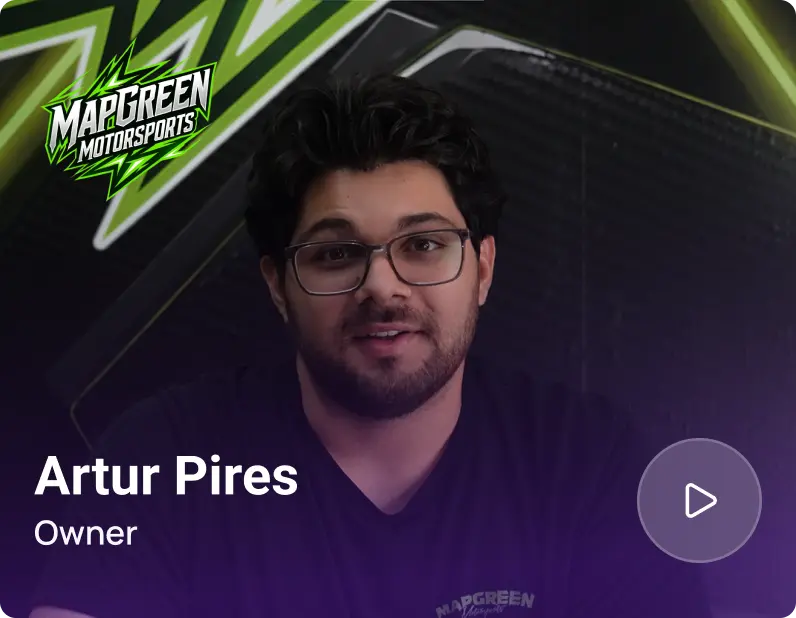
Artur Pires, Owner at Mapgreen Motorsports
Mapgreen Motorsports

"Torque360 changed everything for us. On long projects, nothing gets lost anymore. Labor, parts, approvals, it’s all there. Since using it, I haven’t lost a single cent."

View Story
75%
Missed Revenue Prevented
2x
Increase in Project Visibility
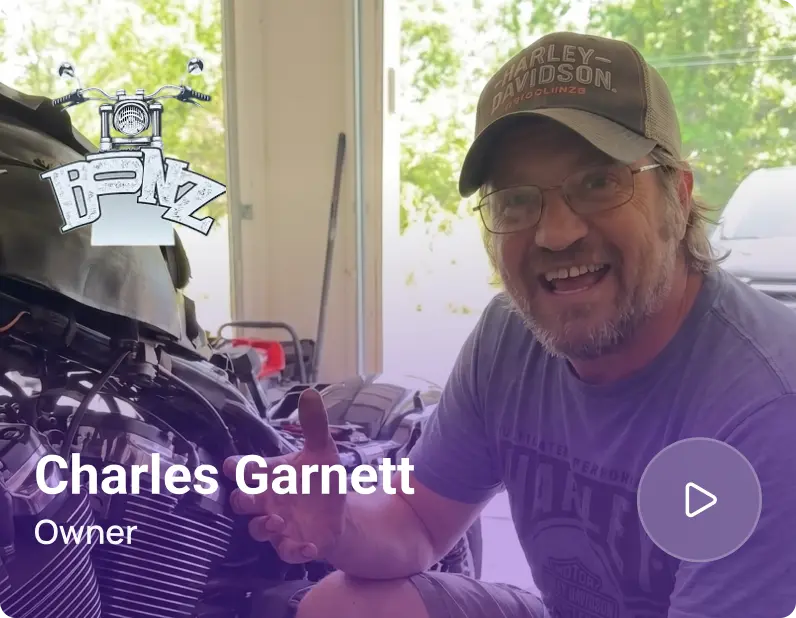
Cauy Cuthbertson, Owner at Charles Garnett
Charles Garnett

“Torque360 has everything I was looking for. From scheduling and tracking jobs to QuickBooks Online integration and Torque Pay, it helps me stay organized.”

View Story

8+ Hrs
Saved on Daily Operations
100%
Same-Day Invoicing with TorquePay
Himel, Owner at Halal Auto Care
Halal Auto Care

"We were doing estimates and tracking jobs manually, and it caused delays and confusion. Now with digital estimates and invoicing, everything is faster and more organized."

View Story

50%
Faster Estimate & Job Processing
1.2x
Higher Customer Capacity
Shop owner video testimonial
Tire & Wheel Xperts

“Torque360 makes everything easy, efficient, and professional. Each invoice only takes about one to two minutes now. I recommend it 100%.”

View Story

1-2 min
Invoice Creation Time
95%
Automated Inventory Sync
Shop owner video testimonial
Cauy Cuthbertson

"Torque360 helped us bring everything into one place. Jobs, parts, and invoices are easier to manage, and the shop runs more smoothly day to day. It gives us the structure we needed."

View Story
100%
Centralized Shop Workflows
2x
Boost in Operational Efficiency

Accept Card Payments Inside Your Repair Workflow

Close every repair with the payment already recorded against the repair order and invoice. Your team collects faster, and payment records flow into the connected reporting and accounting workflow.

  • Fewer checkout errors and faster counter turns

  • No terminal receipts to match against invoices

  • Split payments handled without a workaround

  • Revenue in your account the next business day

Frequently Asked Questions

TorquePay lets you accept card payments directly inside Torque360. Your service advisor runs the card at a wireless terminal that supports tap, chip, and swipe, and the repair order total reaches the terminal without being keyed in by hand. Every payment is tied to the repair order and invoice automatically.

TorquePay typically settles processed payments by the next business day. Predictable deposit timing can help shops maintain steadier cash flow and plan expenses more effectively.

TorquePay integration is included with the Supercharged plan and is available as a $499 add-on for eligible plans. It uses a flat per-transaction rate with no recurring payment-processing fee and no long-term contract. You can cancel anytime without penalties.

Go to Settings > Integrations > Torque Payment > Connect. Follow the guided setup to connect TorquePay for payment processing in your auto repair shop. Once connected, your team can accept card payments from any repair order or invoice, and each transaction records against the job automatically.

TorquePay lets your shop accept all major cards, including Visa, Mastercard, Amex, and Discover. It also supports Google Pay and contactless payments at the terminal.

TorquePay supports split payments. When a customer wants to divide a bill across two cards or methods, the service advisor splits the invoice total inside Torque360, and both payments are logged against the same repair order.

Yes, TorquePay processes card payments through a PCI DSS-compliant payment gateway. Card data is captured at the terminal and handled by the gateway under the same standard that applies to any certified card processor.

TorquePay is Torque360’s built-in auto repair payment software. It processes in-person card payments at a wireless terminal supporting tap, chip, and swipe and accepts Visa, Mastercard, Amex, Discover, Google Pay, and contactless. Every payment is tied to the repair order and invoice. Flat per-transaction pricing, no monthly fees, no long-term contracts, next-day deposits.

No. TorquePay has no recurring payment-processing fee and no long-term contract. It uses a flat per-transaction rate, and you can cancel anytime without penalties.

Auto repair shops accept card payments by connecting a processor to the software that already holds the repair order. With TorquePay, the invoice total is sent to a wireless terminal, the customer taps, inserts, or swipes, and the transaction records against that repair order without a second entry step.