Integrated Parts Ordering Software

Search, Compare, and Order Parts Without Leaving the Repair Order

Switching between supplier websites, re-entering part numbers, and checking inventory manually slow every repair order. Torque360’s integrated parts ordering software lets service advisors search, compare, and order parts from multiple suppliers without leaving the repair order. Real-time pricing, inventory availability, and automatic parts syncing help repair shops build accurate estimates, reduce manual work, and keep repairs moving. Trusted by 1,000+ repair shops across auto, truck, motorcycle, RV, and powersports.

  • Search and compare parts from multiple suppliers

  • Check real-time pricing and availability

  • Order parts directly from estimates and repair orders

  • Sync ordered parts without manual entry

Integrated Parts Ordering Software

How Does Integrated Parts Ordering Software
 Keep Repairs Moving

Open the Estimate or RO

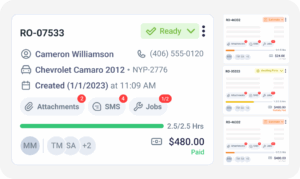
Start from an existing estimate or repair order. Vehicle information and repair details are already available, preventing the need to re-enter customer or vehicle information before searching for parts.

Search Multiple Parts Suppliers

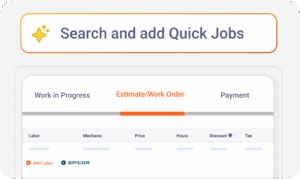
Launch Nexpart or PartsTech directly from the estimate or RO to search OEM and aftermarket parts through the supplier interface. Compare, then add the selected parts back to the Torque360 estimate or RO.

Compare Pricing & Availability

Compare real-time pricing, availability, and supplier options within supported supplier integrations like PartsTech and Nexpart before selecting the right part. Once the selection is complete, the chosen parts flow back into the estimate or RO in Torque360.

Add Parts to the Estimate or RO

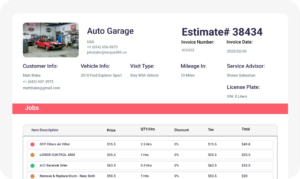
Selected parts automatically populate the estimate or repair order with pricing and part information. There is no need to manually copy part numbers, costs, or quantities between systems.

Order Parts & Track Status

Complete the order through the integrated supplier and keep the ordered parts connected to the repair order. Service advisors and technicians can track order status, helping repairs continue as soon as parts arrive.

Integrate Your Entire Workflow

How Does Parts Ordering Software For Auto Repair Reduce Administrative Work

Auto repair software with parts ordering reduces administrative work by bringing supplier search, parts ordering, and purchase management into the same workflow. Service advisors spend less time switching between supplier portals, re-entering information, and updating repair orders across multiple systems.
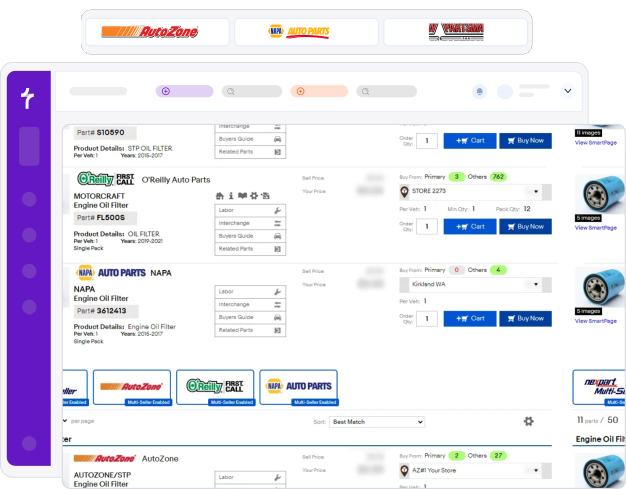
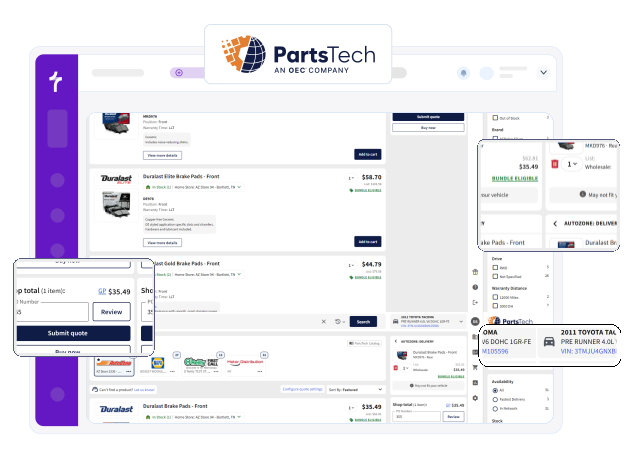
Search parts across integrated supplier catalogs, including Nexpart and PartsTech integration, from one screen. Compare supplier pricing, availability, and delivery options before selecting the right parts for the repair order.

Selected parts automatically sync to the estimate or repair order with pricing, quantities, and part details. This prevents duplicate data entry and keeps repair information accurate across the workflow.

Generate purchase orders for unavailable or special-order parts without leaving Torque360. Keeping purchase orders connected to the repair order helps advisors manage parts procurement from one system.

How Does Integrated Parts Ordering Software Improve Estimate Accuracy

Accurate estimates begin with accurate parts and labor information. Torque360 combines integrated supplier catalogs with Epicor data to help service advisors build estimates using current pricing, standardized labor information, and vehicle-specific parts information before work begins.
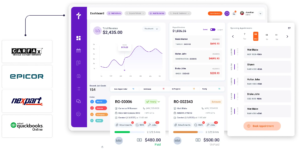
Access current supplier pricing while preparing estimates instead of relying on outdated price lists or manual lookups. Up-to-date pricing helps service advisors create more accurate quotes and reduce pricing discrepancies.

Epicor integration provides standardized parts information and labor guide data while also allowing shops to connect with supported suppliers for parts ordering. Build more accurate estimates using trusted parts and labor information, then order parts through connected suppliers from within the Epicor integration.

Search compatible OEM and aftermarket parts using vehicle information, including VIN lookup or license plate lookup details where supported. Finding the correct parts early helps reduce returns and improves first-time ordering accuracy.

Using standardized supplier data across estimates helps reduce pricing inconsistencies and ordering mistakes before repairs begin. More consistent estimates improve customer confidence and create a smoother transition into the repair order.

Stop Switching Between Supplier Portals for Every Repair

Search parts, compare parts prices across suppliers, and place orders from the estimate or repair order. Keep parts ordering connected to your workflow, so repairs move forward with fewer manual steps and less administrative work.

Built to Power Entire Auto Shop Operation

Why 1,000+ Repair Shops Choose
Torque360

Repair shops need more than a way to order parts. They need a faster, more connected workflow that improves estimate accuracy, reduces administrative work, and keeps repairs moving. Torque360 combines automotive parts ordering integration with the rest of your shop operations, so every department works from the same information.

Spend Less Time Ordering Parts

Service advisors search suppliers, compare pricing, and create purchase orders, instead of switching between multiple supplier portals throughout the day.

Build More Accurate Repair Estimates

Current supplier pricing, standardized parts information, and Epicor labor data help advisors create more consistent estimates before work begins, reducing pricing discrepancies.

Keep Repairs Moving Without Delays

Ordered parts remain connected to the repair order, giving advisors and technicians visibility into parts status so work can continue as soon as components arrive.

Connect Parts Ordering to the Entire Shop Workflow

Parts ordering works alongside estimates, repair orders, technician workflows, invoicing, and reporting, preventing disconnected processes and giving access to the same information.

How Does Integrated Parts Ordering
Connect to the Rest of the Shop Workflow

Integrated parts ordering is one step in the repair process, not a standalone tool. Parts searched, ordered, and tracked through Torque360 stay connected to estimates, repair orders, technician workflows, invoicing, and reporting, helping every department work from the same information.

appointment-booking-widget

Book jobs, manage calendars, and reduce no-shows.

digital vehicle inspection software

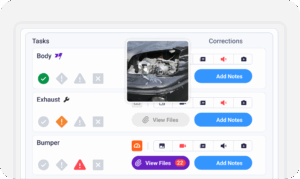
Capture photos and videos. Add notes and findings.

auto repair estimating software

Build accurate estimates with labor, parts, and pricing.

repair order software

Convert approved work into organized repair orders.

auto repair invoicing software

Generate invoices from completed labor and parts.

auto repair job board software

Track jobs, assign technicians, and monitor progress.

Integrated Parts Ordering Software Built for Every Type of Repair Shop

Every repair shop depends on timely and accurate parts ordering to keep repairs moving. Torque360’s integrated parts ordering software supports the workflows of different repair shop types by connecting parts sourcing with estimates, repair orders, and technician activity from one platform.

Mechanic Shop

Motorcycle Repair

Truck Repair

Oil Change

Tire Repair

Mobile Mechanics

Faster Parts Ordering. Better Estimates.
Smoother Repairs.

Repair shops use Torque360 to simplify parts sourcing, improve estimate accuracy, and reduce administrative work. By connecting supplier catalogs with everyday shop operations, teams spend less time managing parts procurement and more time completing repairs.


“Torque360 changed everything for us. On long projects, nothing gets lost anymore. Labor, parts, approvals, it’s all there. Since using it, I haven’t lost a single cent.”

— Artur Pires, Co-Owner

75%

Missed Revenue Prevented

2x

Increase in Project Visibility

“Torque360 helped us bring everything into one place. Jobs, parts, and invoices are easier to manage, and the shop runs more smoothly day to day. It gives us the structure we needed.”

— Cauy Cuthbertson, Owner 

100%

Centralized Shop Workflows

3x

Boost in Operational Efficiency

“We were doing estimates and tracking jobs manually, and it caused delays and confusion. Now with digital estimates and invoicing, everything is faster and more organized.”

— Himel, Owner

50%

Faster Estimate & Job Processing

1.2x

Higher Customer Capacity

Order Parts Faster. Keep Every Repair Moving.

Stop switching between supplier portals and manually updating repair orders. Search suppliers, compare pricing, and order parts from within Torque360 while keeping every part connected to the repair workflow from estimate to invoice.

  • Compare parts from multiple integrated suppliers

  • Create more accurate estimates with current pricing

  • Keep parts connected to repair orders and invoices

  • Reduce administrative work across the shop

Frequently Asked Questions

Integrated parts ordering software connects a repair shop’s management system directly to parts supplier catalogs, allowing service advisors to search suppliers, compare pricing and availability, and place parts orders from the estimate or repair order. It reduces manual data entry by keeping selected parts connected to the repair workflow.

Service advisors open an estimate or repair order, search integrated supplier catalogs, compare pricing and availability, select the required parts, and place the order. Parts information stays connected throughout the repair process without double entry.

Yes. Service advisors can launch Nexpart or PartsTech directly from the repair order or estimate to search, compare, and order parts through the supplier interface. Once selected, the parts automatically sync back to the Torque360 repair order or estimate. With Epicor integration, service advisors can also access connected suppliers and order parts while using Epicor’s parts and labor data.

Yes. Torque360 displays real-time parts pricing and availability from supported supplier integrations, helping service advisors verify live inventory before ordering and create more accurate repair estimates.

Yes. Torque360 integrates with your existing supplier accounts. Once connected, you can access supported supplier catalogs and order parts without leaving the repair workflow.

Yes. When using supported integrations such as PartsTech or Nexpart, service advisors can compare supplier pricing, availability, and delivery options within the supplier interface before selecting the best parts. The selected parts then sync back to the repair order (RO) or estimate in Torque360.

Yes. Torque360 supports purchase order creation for unavailable or special-order parts while keeping purchase orders connected to the associated repair order for easier order status tracking.

Epicor integration provides standardized parts information and labor guide data that help service advisors create more accurate and consistent repair estimates before work begins.

Nexpart Multi-Seller and PartsTech allow service advisors to search, compare, and order parts from multiple suppliers through their respective interfaces, with selected parts syncing back to the Torque360 repair order or estimate. Epicor provides standardized parts information, labor guide data, and access to connected suppliers for parts ordering. Together, these integrations help shops build accurate estimates and streamline the parts ordering workflow.

Yes. Through supported supplier integrations, Torque360 allows repair shops to search both OEM and aftermarket parts while comparing supplier pricing and availability from within the software.

Yes. Integrated Parts Ordering is available with Torque360 plans starting at $99.99/month. PartsTech and NexPart integrations are included with the Starter plan, while Epicor Repair Time Guides & Parts Ordering are available with the Turbo plan and above.