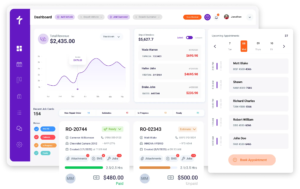
Auto Repair Job Board Software
Track Every Job, Technician, & Workflow Stage From One Digital Job Board
Whiteboards, spreadsheets, and verbal updates make it difficult to know what is actually happening across the shop. Torque360 auto repair job board software gives service advisors, technicians, and managers a live view of every repair order moving through the shop. Tracks workflow stages, technician assignments, approvals, labor progress, and completed work in real time. Trusted by 1,000+ independent repair shops across auto, truck, motorcycle, RV, and powersports.

How Does a Job Move Across the Board
How Does It Work?
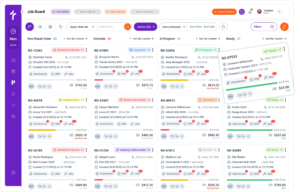
Work moves through the shop in six stages: New Repair Order, Inspection, Estimate, Awaiting Authorization, In Progress, and Ready, and the board advances each job as it happens.












How Does Auto Repair Job Board Software Keep Every Job Visible
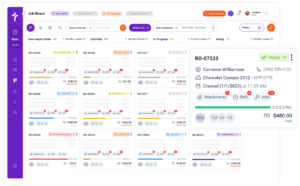
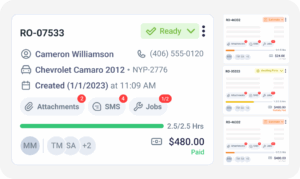
Job board software for auto repair keeps every job visible by putting each repair order’s stage, assigned technician, customer, and vehicle on one live card you can read without opening the order. As vehicle count climbs, that single view replaces hunting across multiple screens.
How Does a Shop Workflow Board Keep Repairs Moving
An auto repair workflow software keeps repairs moving by showing which jobs are waiting on customer approval, waiting on parts, or ready to start, and advancing each card automatically as that work happens. Automotive repair job board does more than display work. It shows what needs attention and what is holding a job up.
How Does a Job Board Help Assign Work Across the Shop
A job board helps assign work by attaching each job to a technician and a service writer, with assignments visible to the whole shop on the card. That gives everyone clear ownership without relying on verbal updates.

How Does a Digital Job Board Reduce Missed Jobs
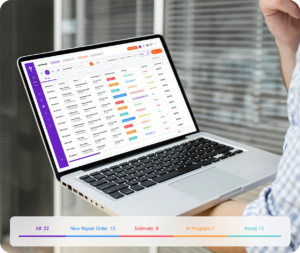
A digital job board reduces missed jobs by showing stalled work, approval holds, and parts delays before they turn into a customer call. Small delays get caught earlier, while the team still has time to act.
How Can Every Employee View Work Their Way
Every employee can view work their way using four layouts: Kanban, list, a column per stage, and a column per tag, over the same set of jobs. Different roles need different perspectives, and each one stays connected to the same workflow.
Why 1,000+ Repair Shops Choose Torque360
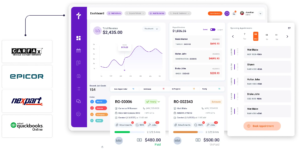
Repair shops need a practical way to organize daily work without relying on disconnected tools. Torque360’s job board combines workflow visibility, technician coordination, and operational tracking inside the same platform.


Features That Work With the Job Board
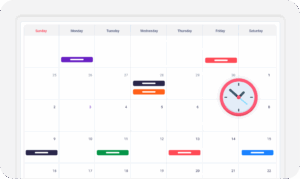
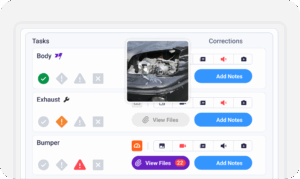
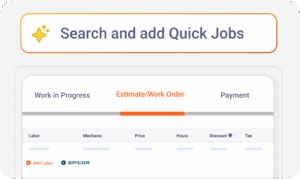
Mechanic shops don’t operate in separate stages. Appointments lead to inspections. Inspections lead to estimates. Repair orders generate invoices and payments. Torque360 keeps those activities connected throughout the repair process, helping you manage work without switching between disconnected systems.
Built for Every Type of Repair Shop
Every repair shop manages work differently. A quick-service auto shop, a truck repair facility, and a fleet operation all have different workflows, technician schedules, and repair timelines. The auto repair shop management software adapts to each environment while keeping jobs organized and visible from arrival to pickup.


Real Results From Real Repair Shops
Repair shops use the Job Board to replace manual tracking, improve technician coordination, and create more consistent workflows across the shop. These stories show how teams use greater visibility and automation to keep work moving throughout the day.





“The search feature is a lifesaver. When a customer calls, I just type their name, pull up the repair order, and give them an update on the spot. I’d pay for the job board alone.”

“In Torque, every job has a visible card, so nothing gets missed. It’s been a game-changer and a huge timesaver.”

“I run a small shop with three techs, and things used to get messy when we had multiple cars in progress. The Job Board keeps everything in one place. I can see if a job is waiting for parts, needs customer approval, or is ready for pickup.“