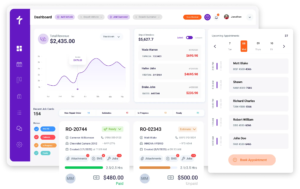
Auto Repair Reporting Software
Know What Your Shop Made Before the Month Closes
Filing sales tax means rebuilding the figures job by job in most shops, and how the month actually went stays unclear until a bookkeeper closes the books. Torque360 auto repair reporting software compiles sales tax, day-end totals, order activity, and revenue straight from the repair orders your team already writes, so the numbers are waiting whenever you go looking for them. Trusted by 1,000+ repair shops across the auto, truck, motorcycle, RV, and powersports industries.

How It Works?
How Does Advanced Business Reporting Work
in a Repair Shop?
Torque360 advanced business reporting for auto repair reads the records your shop already creates. Every repair order, tax class, and collected payment feeds the reports on its own, so nothing is entered a second time to make a number appear.













What Reports Does Torque360 Give a Repair Shop?
Torque360 covers four report families: sales tax, daily sales activity, repair order throughput, and revenue against cost. All four sit inside one repair shop reporting dashboard, so an owner reads them together instead of opening four separate tools.
How Does the Auto Repair Sales Tax Report Work?
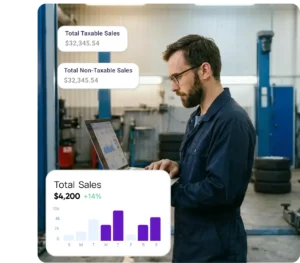
The auto repair sales tax report gathers every invoice inside a date range and reports its taxable sales, non-taxable sales, and tax collected. Sales tax reporting for auto repair shops becomes a filter and a read rather than an evening spent with a calculator.
How Do You Track Tax on Parts vs Tax on Labor?
Torque360 reports total tax on parts and total tax on labor as separate figures because most states treat them differently. Parts are generally taxable. Repair labor is exempt in many states, but usually only when it is stated on its own line.
Which Columns Can You Add to a Report?
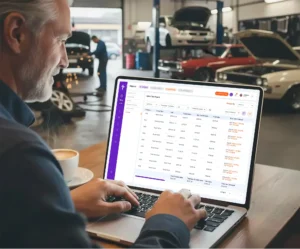
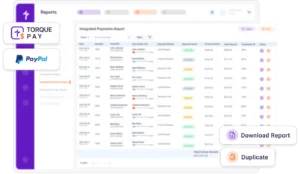
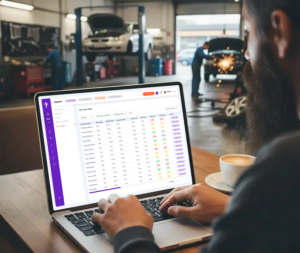
Reports open with a readable default set and expand only where you ask them to. Customizable, exportable reports let each shop match the output to whoever reads it, whether that is an owner scanning totals or a bookkeeper reconciling a quarter.
How Soon Can You See the Day’s Numbers?
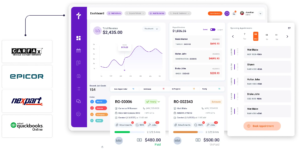
Immediately, and that timing is the whole point. Shops rarely lack data. They receive it after the moment it could have changed a decision, which is what we call the Three-Lag Reporting Problem, and real-time shop reporting shortens all three.
Which Torque360 Report Answers Which Question?
Torque360 runs several reports, and each one owns a different question about the same jobs. Knowing which screen answers what saves an owner from reading the wrong report and drawing a conclusion it was never built to support.
Why Choose Us
Who Gets the Most Out of Advanced Reporting?
Reporting depth is worth paying for at some job volumes and not at others. Advanced business reporting for auto repair proves itself once a shop produces more transactions in a week than one person can carry in their head.


What Feeds the Numbers on Every Report?
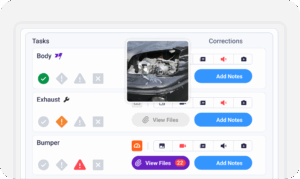
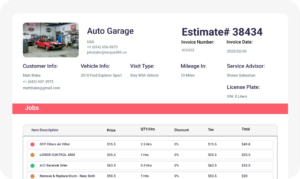
Reports carry no data of their own. Every figure in this auto repair shop analytics software comes from estimates, quick checkouts, repair orders, payments, and invoicing, which is why a total on-screen traces back to the job behind it.
Does Reporting Work for Every Shop Type?
Taxable parts and non-taxable labor land in different proportions depending on the work a shop takes in. The same auto repair reporting software reads all of it through identical fields, from a one-van mobile operation to a multi-location group.


Case Studies
Repair shops use Torque360 to shorten month-end, prepare filings without rebuilding records, and read the day’s performance while the day is still running. These stories cover what changes once the figures arrive early enough to use.

"Torque360 changed everything for us. On long projects, nothing gets lost anymore. Labor, parts, approvals, it’s all there. Since using it, I haven’t lost a single cent."
View Story
“Torque360 has everything I was looking for. From scheduling and tracking jobs to QuickBooks Online integration and Torque Pay, it helps me stay organized.”
View Story
"We were doing estimates and tracking jobs manually, and it caused delays and confusion. Now with digital estimates and invoicing, everything is faster and more organized."
View Story
“Torque360 makes everything easy, efficient, and professional. Each invoice only takes about one to two minutes now. I recommend it 100%.”
View Story
"Torque360 helped us bring everything into one place. Jobs, parts, and invoices are easier to manage, and the shop runs more smoothly day to day. It gives us the structure we needed."
View Story