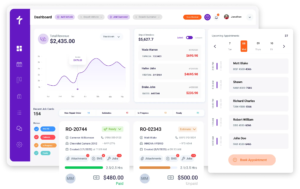
Auto Repair Accounting Software
Every Invoice You Close in Torque360 Posts to QuickBooks Automatically
Torque360 connects directly to QuickBooks Online accounting software for auto repair shops. When a repair order is paid, the invoice, payment, customer record, and itemized line items post to QuickBooks without a manual export, CSV file, or end-of-day entry process. Your bookkeeper opens QuickBooks and sees current data. Trusted by 1,000+ independent repair shops across auto, truck, motorcycle, RV, and powersports.
How Does Torque360 Sync Repair Order Data to QuickBooks
How It Work?
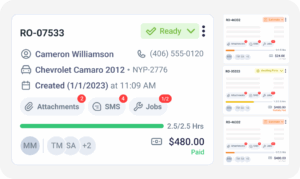
Torque360’s QuickBooks auto repair accounting software sync is not a batch export or end-of-day process. When payment is collected on a repair order inside Torque360, the invoice, payment record, customer information, and itemized breakdown post to QuickBooks Online the moment the transaction completes. No action from your service writer or bookkeeper is required.












What Data Does Torque360 Transfer to QuickBooks on Every Invoice
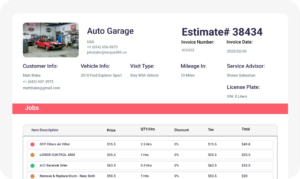
Every invoice synced from Torque360 to QuickBooks for auto repair shops arrives organized and linked to the correct accounts. The record includes the repair order number, customer information, payment method, itemized parts and labor totals, shop supply fees, and applicable taxes.
What Operational Problems Does QuickBooks Integration Fix for a Repair Shop
Auto repair shops running QuickBooks separately from their shop management software deal with a specific set of recurring problems. Service writers close a repair order, and then someone has to open QuickBooks and enter the same information again. For a shop closing 15 to 25 jobs per week, that is a standing task that takes hours and introduces errors every time a number is typed incorrectly.

Keep QuickBooks Current Without Touching It
Torque360 posts every closed invoice to QuickBooks Online the moment the transaction completes. Your bookkeeper works from accurate, real-time data. Your service writers keep working on repairs. The sync runs in the background while the shop runs in the foreground.
Why Independent Repair Shops Run Their Books
Through Torque360’s QuickBooks Sync
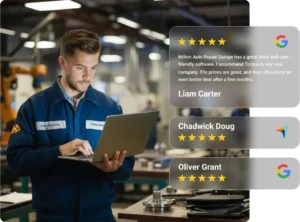
See why repair shops move away from manual QuickBooks entry once invoices and payments start syncing automatically from a connected repair order workflow.


How QuickBooks Sync Connects to the
Rest of the Torque360 Platform
The QuickBooks integration is one step in a connected shop workflow. Every dollar that reaches QuickBooks was first estimated, authorized, worked, invoiced, and collected inside Torque360, which means the financial record reflects what actually happened in the shop.
Which Auto Repair Shops Get the Most From Torque360’s QuickBooks Integration
Torque360’s QuickBooks sync is built for repair shop workflows, not generic business invoicing. It fits how repair shops close jobs and manage books, whether the owner handles the accounting themselves or a dedicated bookkeeper manages QuickBooks separately.


How Independent Repair Shops Cut Bookkeeping Hours & Closed Their Books Faster With Torque360
From double entry and end-of-week catch-up to real-time QuickBooks records without manual intervention. See how independent repair shops replaced disconnected invoicing and manual data entry with a connected workflow that posts every closed job to QuickBooks automatically.





“QuickBooks auto repair shop integration keeps everything in one place. I no longer worry about missing invoices or late payments. It just works perfectly”

“I was hesitant at first, but setting up QuickBooks for my auto repair shop was easier than I expected. Now I spend less time on admin and can focus more on growing the business.”