Torque Payments

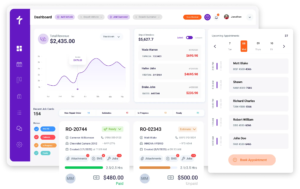
Accept in-store, contactless, and online payments with a payment system built directly into Torque360. Process payments without switching tools, entering amounts manually, or having mismatched transactions. Torque Payments keeps your repair orders, invoices, and payments connected in one system.
Quickbooks’ top-notch security measures
Faster Checkout and Deposits

Get Paid Without Delays

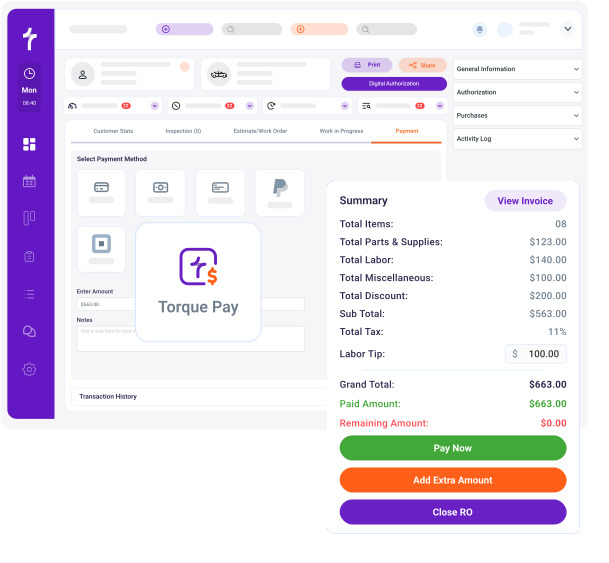
Torque Payments automatically sends the repair order total to the payment terminal so your staff can complete checkout instantly. Payments from completed transactions are typically deposited into your merchant account the next business day.

  • Prevent mismatched amounts between invoices and terminals

  • Reduce manual entry errors during checkout

  • Speed up checkout at the front desk

  • Maintain steady cash flow for daily operations

Capture Customer Authorization

Built-In Terms and Conditions

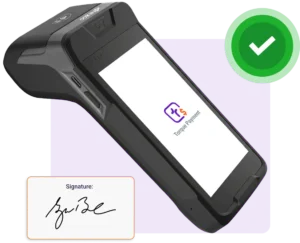
Torque Payments allows your shop to present terms and conditions directly on the payment terminal during checkout. Customers can review and sign digitally before completing their payment.
  • Document customer authorization for repairs and payments

  • Reduce disputes and misunderstandings

  • Maintain clear service agreements for every transaction

  • Keep signed approvals attached to the repair order

Quickbooks’ top-notch security measures
Quickbooks automotive accounting software
Accept Remote Payments

Payment Links, Virtual Terminal & Flexible Settings

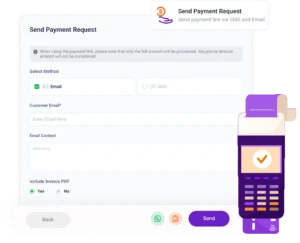
Torque Payments allows your team to collect payments remotely using secure payment links or the built-in virtual terminal. Advanced configuration settings let you control how payments are requested and processed within your shop’s workflow.

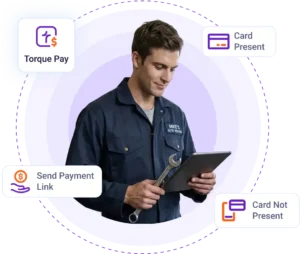
  • Send secure payment links via email, SMS, or WhatsApp

  • Accept remote payments using the virtual terminal

  • Configure payment settings for your shop workflow

  • Automatically connect payments to repair orders

Integrated Payments Reporting

Track Transactions and Reconcile Payments Easily

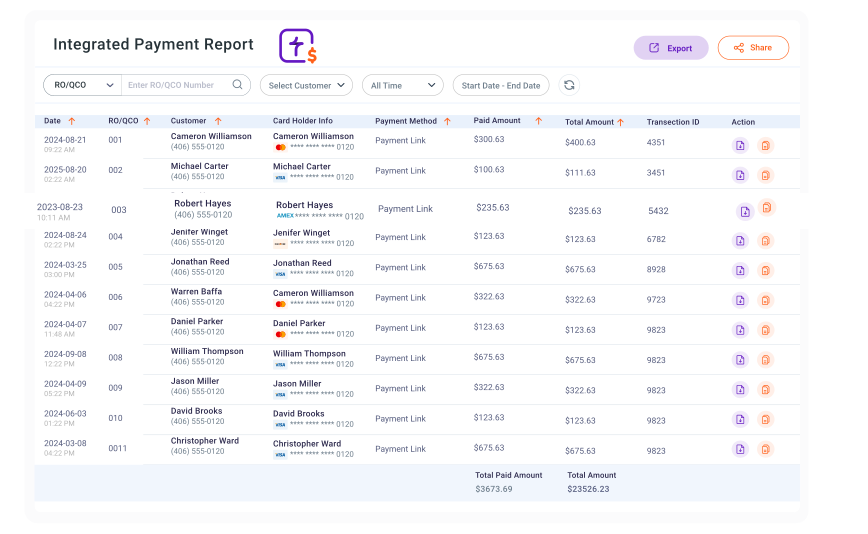
Payments processed through Torque Payments appear in the payment reports within Torque360, while a dedicated Integrated Payments report allows shops to review and reconcile TorquePay transactions.
  • View payment activity across the payment reports

  • Access the dedicated TorquePay Integrated Payments report

  • Match payments directly with repair orders

  • Export payment data for accounting and reconciliation

Quickbooks automotive accounting software
Reward Your Team

Built-In Tipping and Review Requests

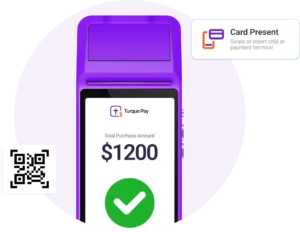
Torque Payments allows repair shops to enable tipping on the payment terminal during checkout. After completing the payment, the terminal displays a QR code that customers can scan to quickly leave a review.

  • Reward technicians and front-desk staff

  • Improve employee motivation and satisfaction

  • Encourage customers to share reviews with a QR code

  • Automatically record tips alongside transactions

Wireless Payment Terminals

Accept Payments with Multiple Terminals

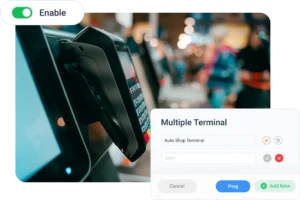
Torque Payments supports Wi-Fi-enabled wireless terminals that allow your team to process payments anywhere in the shop. Multiple terminals can also be connected, so different staff members can complete transactions simultaneously during busy hours.
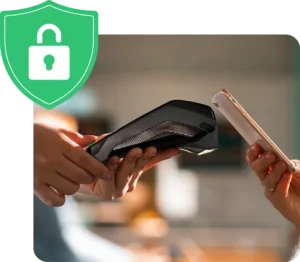
  • Take payments anywhere in the shop

  • Connect multiple terminals for service advisors

  • Reduce congestion at the front counter

  • Speed up checkout during busy hours

Quickbooks’ top-notch security measures
Quickbooks automotive accounting software
Secure Payment Processing

Built for Safe and Reliable Transactions

Torque Payments follows modern payment security standards to ensure every transaction is processed safely. Sensitive payment information is handled securely while maintaining a fast and reliable checkout experience.


  • Secure payment data handling

  • Reliable transaction processing

  • Protection for both the business and the customer

  • PCI-compliant payment infrastructure

Other Powerful Integrations

Get Started with Torque Payments

Upgrade your repair shop with a payment system built directly into Torque360. Process payments faster, prevent manual entry errors, and keep transactions connected to repair orders and customer records.

Frequently Asked Questions

Integrated payments allow auto repair shops to accept and manage customer payments directly within their shop management system. With Torque Payments, transactions connect automatically to repair orders, invoices, and customer records. This keeps the entire checkout process inside one platform.

Torque Payments automatically sends the repair order total to the payment terminal during checkout. This removes the need for staff to manually enter payment amounts. It also helps prevent mismatched totals between invoices and transactions.

Yes. Torque Payments allows repair shops to present store terms and conditions during checkout. You can also capture the customer’s digital signature on the payment terminal. The signed approval is stored with the repair order and payment record.

Torque Payments allows repair shops to process customer payments directly from repair orders inside Torque360. When a payment is initiated, the transaction is completed through the connected payment terminal, payment link, or virtual terminal while automatically recording the payment against the repair order and invoice.

Payments processed through Torque Payments are typically deposited into your merchant account on the next business day. This helps repair shops maintain consistent cash flow and keep daily operations running smoothly.

Yes. Torque Payments records payment activity directly inside Torque360. Shops can review transactions in the payment reports and use the Integrated Payments report to reconcile TorquePay transactions.

Yes. Torque Payments supports Wi-Fi–enabled terminals that allow staff to accept payments from anywhere in the shop. This helps reduce congestion at the front counter and speeds up the checkout process.

When payments are connected directly to repair orders and invoices, financial records stay organized and accurate. This reduces manual reconciliation and simplifies accounting tasks for auto repair shop owners.

Torque Payments is built directly into Torque360, so repair orders, approvals, invoices, and payments are managed in one system. This keeps the entire checkout workflow connected and removes the need for separate payment tools.

With Torque Payments, auto repair shops receive support from a single provider for both the shop management system and payment processing. Instead of contacting separate vendors, one support team can assist with terminals, transactions, and checkout questions.