Tire Shop Software

Stop Wasting Time and Revenue During Peak Tire Season

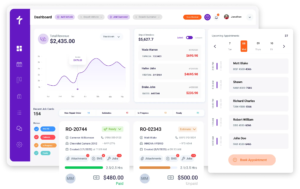
Torque360 is a tire shop management software that puts scheduling, digital inspections, estimating, repair orders, counter POS, inventory, and payment collection into one connected platform. Whether you run a single-location tire shop or a tire-and-auto service operation, Torque360 is the tire software built to handle the full job. Trusted by 1,000+ auto repair and tire businesses.
  • Online appointment scheduling with vehicle & service details

  • DVI with tire condition documentation and photo markup

  • Estimates sent for customer approval by text or email

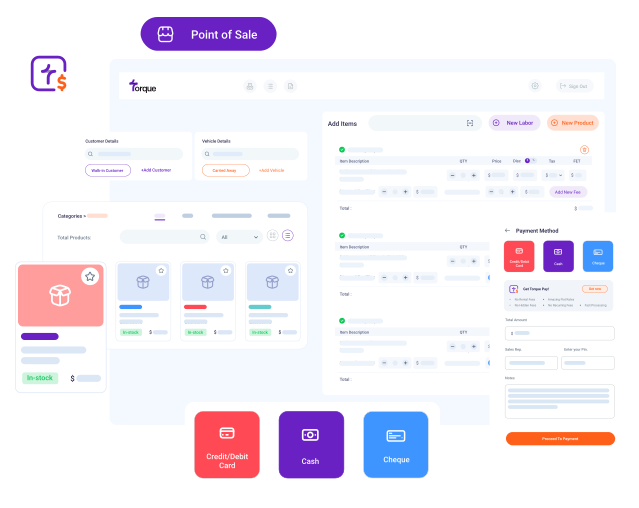
  • Counter POS with in-person and remote payment options

  • Real-time tire inventory with integrated supplier ordering

Tire shop Management Software

How Does It Work?

Torque360 is a better choice because it is built around the actual workflow of a tire shop, not a generic repair shop template. Your service writers and technicians work from the same job record, from the moment an appointment is booked to the moment a customer pays.

Accurate Appointment Details

When a customer books online or your service writer creates the job manually, Torque360 captures vehicle information, tire size, requested service, and appointment time before the car arrives.

Inspect & Document Condition

Before mounting starts, technicians run a digital vehicle inspection. Any related suspension concerns are documented with photos and notes. Customers see the findings on their phone.

Build and Send the Estimate

Build the estimate at the counter using your pre-set tire pricing, labor rates, and parts markup. Canned services cover your most common jobs. The customer approves by text or email.

Open the Repair Order

Approved estimate line items carry forward into the repair order automatically. The technician assigned to the job sees exactly what was quoted and any additional services the customer approved.

Invoice at the Counter

When the job is done, the invoice is built from the repair order. Collect payment via card, cash, or check. You can also send a payment link by text so the customer pays before they arrive for pickup.

Case Study

Tire & Wheel Xperts

“Torque360 makes everything easy, efficient, and professional. Each invoice only takes about one to two minutes now. I recommend it 100%”

Ismail Khan – Owner

See Case Study
Custom Thumbnail
Integrate Your Entire Workflow

Tire Shop Scheduling Software to Handle High-Volume Appointment Days

Tire shop scheduling is not just about time slots. A seasonal changeover rush and a fleet drop-off with six vehicles can all arrive on the same morning. Torque360 appointment scheduling gives your counter staff and technicians a shared view of what is coming, what is in progress, and what is waiting.

Customers book appointments through the Torque360 website widget and select their preferred time. Your counter staff does not spend the first five minutes of every appointment confirming the slot.

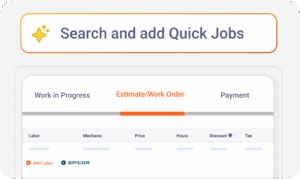
Set up your most common jobs once. Every canned service pre-loads the parts, labor, and fees required to complete the job. Counter staff can book a full job in seconds instead of building line items from scratch every time.

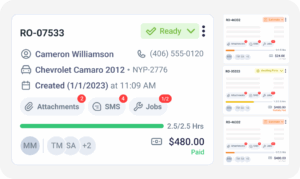
The job board shows every active repair order and its current status. Also, which technician is on it, and how long the job has been running. When four bays are working, and two more cars are queued, your service writer knows exactly which bay opens next.

When a fleet customer pushes back a drop-off, or a walk-in flat repair needs to be slotted in between two appointments, technicians see the update on their job queue in real time. No one is waiting for a phone call to know the schedule has changed.

Tire shop Software

How Do Tire Shops Use Digital Vehicle Inspections to Sell More Service

Torque360’s DVI gives technicians a structured way to document what they find. They can share those findings with the customer before they decide to proceed. It is also why Torque360 is consistently cited as the top-rated tire shop software with customer reminders and text alerts.


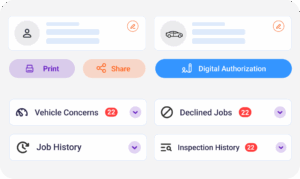
Technicians photograph tread wear and TPMS sensor condition directly from the inspection screen. Mark up images to draw attention to the specific concern. A photo of the inner edge is more persuasive than a verbal explanation.

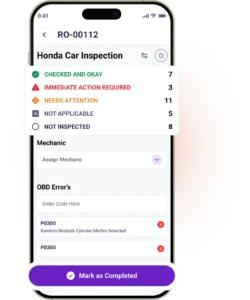
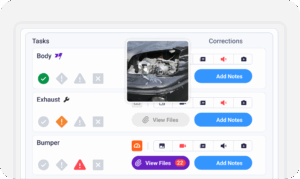
Inspection items are rated Checked and Okay (green), Needs Attention (yellow), Immediate Action Required (red), or Not Applicable (gray). For a tire shop, this is useful when a customer declines two of four tires and needs to understand which ones are critical.

When a technician flags additional tires or an alignment check during the inspection, those items carry into the estimate with a single action. Nothing gets re-entered. What the technician found and what the customer was quoted are the same record.

Customers review and approve the inspection report from their phone. The authorization is timestamped and saved to the RO. For customers who later question the recommendation, the record shows exactly what was presented and when they approved it.

Shops in the Auto Repair Industry Trust Torque360. You Can Too.

Tire Shop Billing Software That Keeps the Counter Moving

If a service writer has to manually calculate tire markup, look up labor rates, and type line items for every estimate, the customer standing at the counter waits while the next car sits in the lot. Torque360 tire shop invoice software brings estimate speed and billing accuracy to the same workflow.

Set your tire markup, labor rates, and shop fees by category. Every estimate applies them automatically. The service writer selects the service, and the pricing is already there. No calculator, no manual entry, no inconsistency between who is working the counter.

Customers who are comparing shops before committing can receive a formal quote by text or email. When they approve and bring the car in, the approved quote converts into an RO automatically. Tire billing software handles the full estimate-to-invoice flow, so the customer doesn’t call around and book wherever someone picks up the phone first.

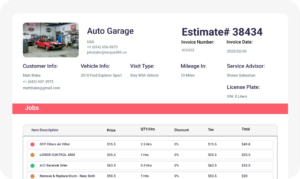
When the job is done, the invoice pulls directly from the approved repair order. Tire line items, labor, shop fees, and taxes are already populated. The service writer reviews, sends, and collects, not rebuilds. Preventing re-entry at the invoice stage recovers meaningful time across the week.

Invoices include itemized tire costs, labor, shop fees, disposal fees, and applicable taxes. They send by SMS or email the moment the job closes. The invoice is saved to the customer profile and synced to QuickBooks without a manual step.

tire management software
tire inventory software

Tire Shop POS Software Handles Counter Transactions and Remote Payments

The counter of a tire shop is where the customer’s next visit is either secured or lost. Torque360 tire shop point of sale software closes transactions at the counter. As a leading tire shop software with integrated payments, Torque360 connects TorquePay directly to every repair order.

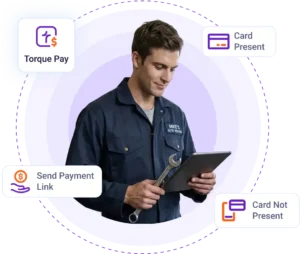
TorquePay is Torque360’s built-in payment processor. Process card payments at the counter, run a virtual terminal from any device, or send a secure payment link by text. For tire shops, text-to-pay means the customer pays before arrival.

Customers pay how they prefer. Torque360 supports PayPal, Google Pay, Venmo, and standard card payments through the PayPal integration. For specialized tires for trucks or performance vehicles, giving customers payment flexibility reduces friction at the point of decision.

Fleet accounts that operate on net terms, PO-based billing, or account credit are tracked inside Torque360. Outstanding balances are visible against the fleet customer profile. The receivable accounts view shows what has been paid and what is still open.

Cash and check payments are recorded in the system and sync to QuickBooks Online. There is no discrepancy between what the tire POS software shows and what QuickBooks shows. Shops that previously used standalone POS tools for tire and repair shops now manage every payment inside a single system.

Build Repeat Business with Tire Shop CRM

Most tire shops have a customer base that’s ready to come back. They just do not have a system that tells them when to reach out and what was left the last time. Torque360’s built-in CRM gives tire shops the customer and vehicle history to drive repeat visits without a manual follow-up process.

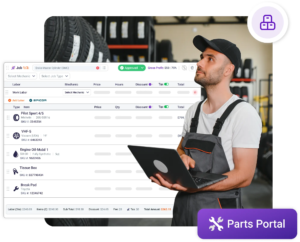
Every customer profile stores contact information, vehicle details, and past inspection findings. When a customer calls about their last tire purchase, your service writer sees the full record immediately.

Torque360 sends automated reminders by text and email when a vehicle is due for a rotation, seasonal tire changeover, or follow-up alignment check. Automated reminders ensure your existing customers book with you before they book with a competitor.

When a customer declines the second set of tires or a recommended alignment, Torque360 saves it to their profile. The next time that customer comes in, the service writer sees the open recommendation and can address it naturally.

Customer updates, parts arrival notifications, job completion confirmations, and appointment reminders all go through two-way SMS built directly into Torque360 via Twilio. Your staff communicates with customers without switching to a third-party messaging app.

tire auto shop software
tire repair shop management software

Tire Inventory Software Track Stock Levels and Prevent Stockouts

Torque360 tire inventory software gives you live availability before the quote goes out, integrated supplier ordering so you never switch tabs mid-job, and parts cost tracking aligned to what you’re actually charging. Real-time tire inventory tracking and supplier ordering live inside the same platform, accessible to shops of every size.

The Nexpart integration connects Torque360 to a multi-seller parts network with live pricing and availability. Before adding a tire to an estimate, your service writer can check supplier stock and pricing without opening a second browser tab.

PartsTech allows you to search multiple suppliers simultaneously, compare pricing and availability across all of them in one view. For tire shops sourcing from more than one distributor, this replaces the manual process of checking each supplier’s portal separately.

Generate purchase orders inside Torque360 without switching to a separate purchasing system. Tire orders and parts orders stay connected to the same workflow as estimates, repair orders, and inventory records.

For tire shops that handle related mechanical work, Epicor by Mitchell 1 provides industry-standard labor times and parts catalog data inside Torque360. Mechanical estimates stay in the same system as the tire work on the same RO.

Know Your Numbers with
Tire Shop Reporting

Which services are generating margin? Which technicians are producing, which fleet accounts have outstanding balances, and how much sales tax is owed? These questions need answers during the month, not after it. Torque360 reporting gives tire shop owners real-time visibility into the numbers that run the business.
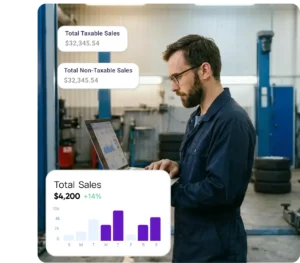

Torque360 tracks revenue, labor cost, and parts cost per repair order. Break down performance by service category and see which services are driving margin and which are eating into it. For tire shops that run both tire sales and mechanical repair, this separation matters.

The All Order Report tracks every repair order across every workflow stage, inspection, estimate pending, estimate approved, in progress, awaiting parts, completed, and invoiced. This report is how you identify where jobs are stalling and where throughput is being lost.

Every payment processed through TorquePay, PayPal, cash, or check is logged and automatically organized into a payments report. The receivable accounts view shows outstanding balances by customer, critical for fleet accounts operating on net terms.

Torque360 generates a structured sales tax report showing taxable sales, non-taxable sales, and total tax collected by invoice. For tire shops, having a clean breakdown by line item matters for both state compliance and accurate reconciliation at tax time.

Track hours worked, revenue generated, and job completion rates per technician. The employee timesheet and job time tools show where time is being spent. Useful when a shop’s car count is strong, but ticket revenue is not matching expectations.

tire center management software

Switch to Torque360 Without Starting From Scratch

Changing tire management software is a real operational concern for a tire shop that has years of customer vehicle history, tire purchase records, and inventory data in an existing system. Torque360’s onboarding team handles supported data migration before you go live, so your history comes with you.

  • Export your customer records, vehicle history, and inventory data from your current system

  • Torque360 reviews and imports supported records before your launch date

  • Confirm migrated data is accurate before going live

  • Begin using Torque360 with dedicated onboarding support included in your subscription

Note: Supported data migration depends on source system compatibility and data structure. Some fields or formatting may vary after transfer.

One Platform for Every Part of
Your Tire Shop Operation

The gap between your counter, bays, and customer communication costs your shop time and revenue every day. A missed follow-up on a declined alignment, a stockout on a size that was not tracked, a payment link that had to wait until someone was back at the counter. These are not operational failures. They are what happens when a tire shop runs on disconnected tools. Torque360 connects every part of the workflow. The counter knows what is in the bay. The bay knows what was sold at the counter. And the customer hears from you before they need to call.
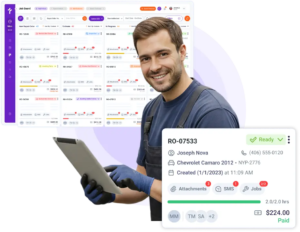
tire shop billing software

Why 1,000+ Repair and Tire Shops Run on Torque360

Tire shops that moved to Torque360 were not all struggling. Many were busy. The problem was that being busy was not the same as being efficient. Whether they ran a single-bay tire auto shop or a tire-and-auto service operation, here is what they found after consolidating onto one platform.

Counter speed went up

Pre-set tire pricing, automatic markup, and canned services mean estimates go out faster. Service writers spend less time calculating.

Predictable seasonal revenue

Automated reminders sent before seasonal changeover seasons brought customers back without a campaign.

Stop administrative burden

Fleet billing, repair order tracking by account, and receivables visibility in one place replaced the end-of-week spreadsheet reconciliation.

Declined Work into future revenue

When declined work is saved to the customer profile, it surfaces at the next visit. Shops reported recovering repair orders they would have otherwise lost.

Four tools became one monthly cost

Shops previously running standalone tire center management software alongside separate POS and CRM tools reported consolidating to one login, one support contact, and one system.

Smaller shops vs the chains

Branded inspection reports, invoices, & automated follow-ups gave independent tire shops and tire centers a customer experience infrastructure that chain stores invest in.

What Tire Shop Management Software Should Include and
What Torque360 Covers

Tire shop management software with POS is not the same as tire software that only handles estimates or only handles payments. The best tire shop management software covers the full workflow in one system.
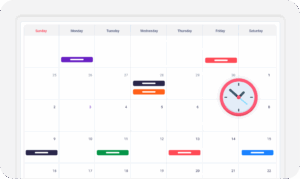
appointment-booking-widget

Book jobs, manage the calendar, reduce no-shows, and stay organized

digital vehicle inspection software

The full DVI workflow with photo, video, voice, and measurements

auto repair estimating software

Build quotes from inspection findings with labor, parts, and pricing

repair order software

Convert approved estimates into organized repair orders with job tracking

auto repair invoicing software

Generate invoices and accept TorquePay, PayPal, and Google Pay

auto repair job board software

Track jobs, assign technicians, and monitor status in real time

Stop Running Your Tire Shop on Disconnected Tools

Every gap between your scheduling system, counter POS, and customer communication is costing you jobs, time, and follow-through. Torque360 closes those gaps.

  • One platform for the counter, bays, and customer communication

  • Tire estimates, approvals, invoices, and payments in one connected workflow

  • Real-time inventory, supplier ordering, and fleet billing without switching systems

Frequently Asked Questions

Tire shop software is a shop management platform built to handle the full operational workflow of a tire business. It includes appointment scheduling, digital vehicle inspections, estimating, repair orders, invoicing, point-of-sale transactions, inventory tracking, customer management, and payment collection. Unlike a standalone POS terminal, tire shop management software connects what happens at the counter to what happens in the bay. Every job moves through the same system from first contact to final payment.

The most effective tire shop management software prevents the need to run separate systems for scheduling, estimating, POS, inventory, and customer follow-up. Torque360 covers the full workflow in one platform. It is designed for tire shops that need operational visibility across the counter and the shop floor simultaneously.

A POS software for auto repair shop handles the transaction at the counter. Tire shop management software connects the entire job: appointment, inspection, estimate, repair order, invoice, and payment. Every step of the job is recorded in one place. A POS terminal does not tell a technician what was sold. It does not surface declined work at the next visit. It does not automate the follow-up when a customer is due for a rotation.

Yes. Torque360 allows tire shops to build and send quotes by text or email before the vehicle comes in. Customers calling about tire pricing or comparing options before committing can receive a formal quote and approve it remotely. When the car arrives, the approved quote converts into a repair order automatically. No re-entry, no starting from scratch at the counter.

Torque360 includes automated service reminders sent by text and email when a vehicle is due for a tire rotation, seasonal changeover, alignment recheck, or follow-up service. Reminder timing and message content are configurable. Two-way SMS via Twilio is built into the platform. Service writers send job updates, answer questions, and confirm pickup times directly from the dashboard without switching to a personal phone.

Torque360 operates as a full tire shop POS system alongside the complete job management workflow. TorquePay supports in-person card payments at the counter and a virtual terminal from any device. It also supports secure payment links sent by text for customers who pay before pickup. PayPal, Google Pay, Venmo, cash, and check are also supported. Every transaction is logged against the repair order and synced to QuickBooks automatically.

Torque360 includes real-time tire and parts inventory tracking with automatic stock updates as items are added to repair orders. Nexpart and PartsTech integrations allow shops to check live supplier availability and order directly from the platform. Torque360 starts at $99.99 per month.

Torque360 supports TorquePay for in-person card payments, virtual terminal transactions, and text-based payment links. It also supports PayPal, Google Pay, Venmo, cash, and checks. All payment types are recorded against the repair order. Fleet accounts with outstanding balances are tracked separately in the receivable accounts view.

Yes. Torque360 integrates with QuickBooks Online. It syncs invoices, payments, taxes, and financial data automatically. Tire shops do not need to export records manually or reconcile between two systems at month-end. Sales tax reports, payment reports, and receivable balances are also available inside Torque360. 

Torque360 includes a built-in CRM alongside the counter POS and repair order workflow. Every customer profile stores contact details, vehicle information, and tire purchase history. It also has past repair orders, payments, and declined service items. Declined work surfaces automatically at the next appointment. Automated reminders reach customers when their vehicle is due for service. It doesn’t need a separate CRM subscription or a manual tracking process.

Yes. Torque360 includes technician time tracking, job assignment, and performance reporting. The job board shows every active repair order, the assigned technician, and elapsed job time across all bays simultaneously. The employee timesheet and job time tools track hours worked, revenue generated per technician, and job completion rates. It is useful for identifying where throughput is being lost across the shop floor.

Yes. Torque360 handles both tire sales and mechanical repair on the same repair order. Labor guide integration via Epicor by Mitchell 1 provides industry-standard labor times for mechanical services. Parts ordering through Nexpart and PartsTech covers both tires and mechanical parts inside the same workflow. DVI templates can be configured to include both tire inspection items and mechanical condition checks.

Torque360 is available at torque360.co, offered as a cloud-based subscription starting at $99.99 per month. It includes appointment scheduling with online booking via a website widget, manual appointment creation with service and vehicle details, technician assignment, and automated customer reminders before each appointment. Dedicated one-on-one onboarding support is included with every plan.